

The App platform for the Technology and Transfer: A Learning Mobility Summit is powered by Whova.
- View the event agenda and plan your personal schedule
- Explore the Technology & Transfer presenters and keynote speakers
- Research conference sponsors and exhibitors
- Find colleagues and reach out to fellow attendees ahead of time
- Interact with session polls or questions and download handouts
- Receive updates such as last-minute session changes from the organizers
AACRAO does not provide printed copies of the meeting program or schedule. Whova can be accessed on a mobile device or a desktop/laptop computer.
Resources from Whova
- How to participate in sessions, join discussions, and share your experience with other attendees
- How to view the agenda, access live streams, and network during the event.
App Instructions
Get our official event app.

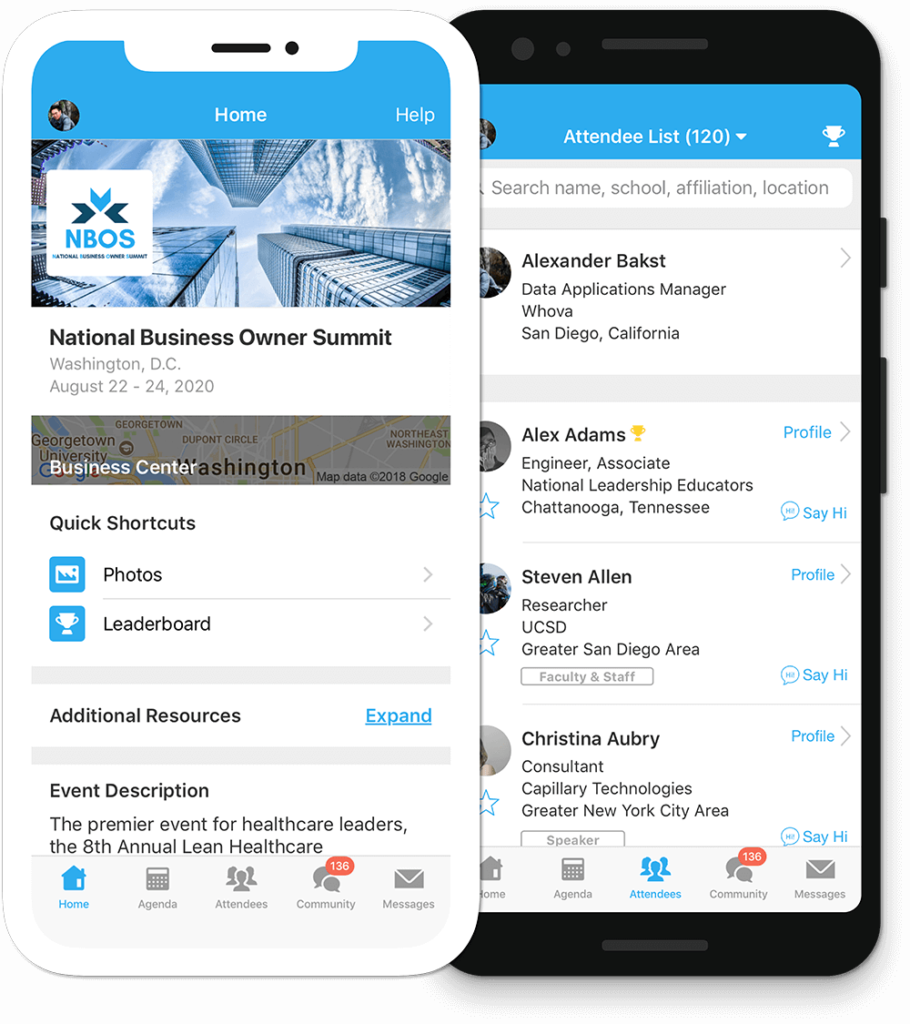
Get the most out of the app and have a more productive experience!
- NAVIGATE the event agenda and logistics, even without Wi-Fi or data. Access useful information like ridesharing and local attractions through the Community Board
- NETWORK effectively. Plan whom to meet by exploring attendee profiles and sending out messages
- PARTICIPATE in event activities through session likes, comments, ratings, live polling, tweeting, and more
iOSAndroid
For Blackberry or Windows Phone, Click here
For feature details, visit Whova
You must log in to Whova with the same email address you used to register for the 2025 AACRAO Technology and Transfer: A Learning Mobility Summit. If you already have a Whova account with a different email address you will need to create a new Whova account.
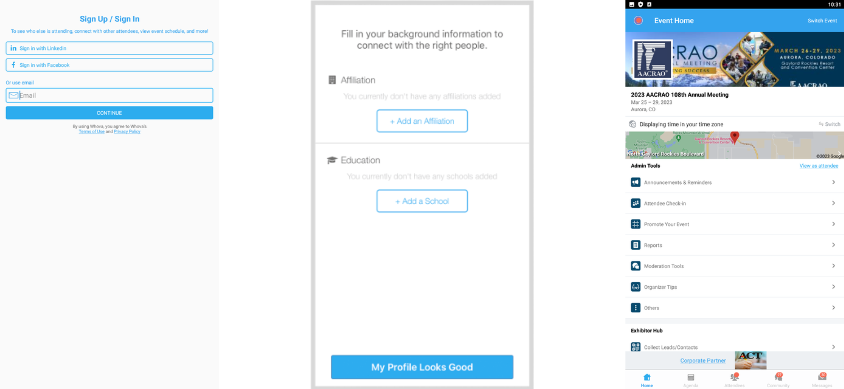
If you’ve used Whova before you can log in using your existing account email and password and search for the 2025 AACRAO Technology and Transfer: A Learning Mobility Summit event. To access the event, the email address you use for your Whova account must match the email address you used to register for the meeting.
NOTE: Whova does not share or sell attendee data; your account information will only be used for accessing the 2025 AACRAO Technology and Transfer: A Learning Mobility Summit App in Whova.
Click the Exhibitors button on the homescreen to learn more about valuable products and services offered by AACRAO Corporate Partners.
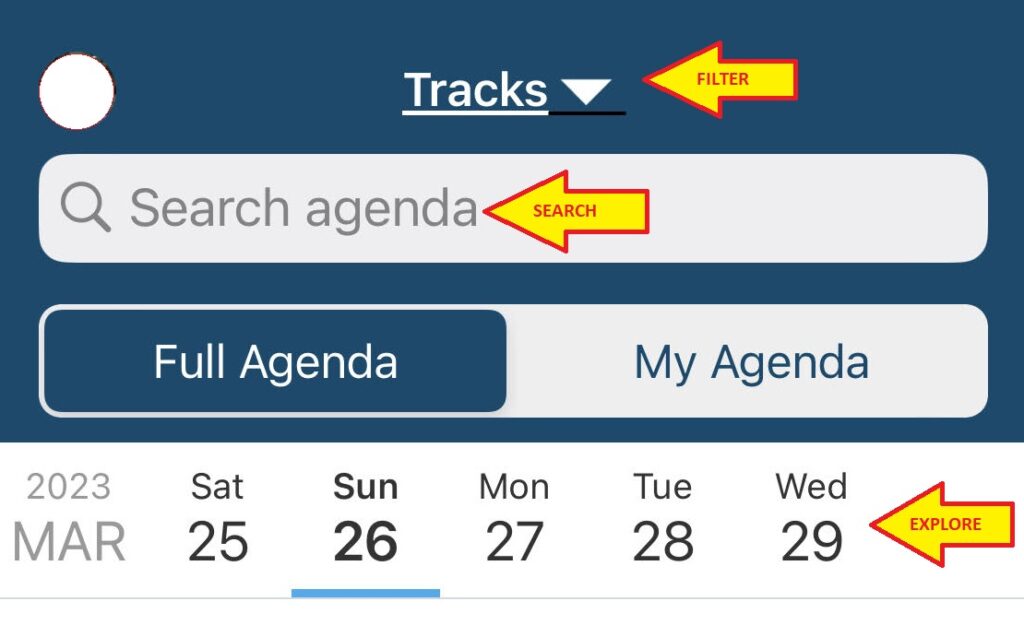
Navigate the Agenda by tapping on each day of the event. Search by Track, session name, or presenter name and click “Add to My Agenda” to save a session to your schedule.
STEP FIVE: Connect with Colleagues
- Visit the “Communities” section to plan meetups and ask the organizers a question. Search by topic to join a conversation
- Send colleagues messages (all App users are limited to 100 messages per day)
- Check out the “Leaderboard” to see who the most active App users are! (points are for just-for-fun; there are no prizes attached to the Leaderboard)
- Post photos in the “Photos” button on the Home page
- Use the “Q&A” and “Chat” features in the sessions to connect with colleagues and presenters.
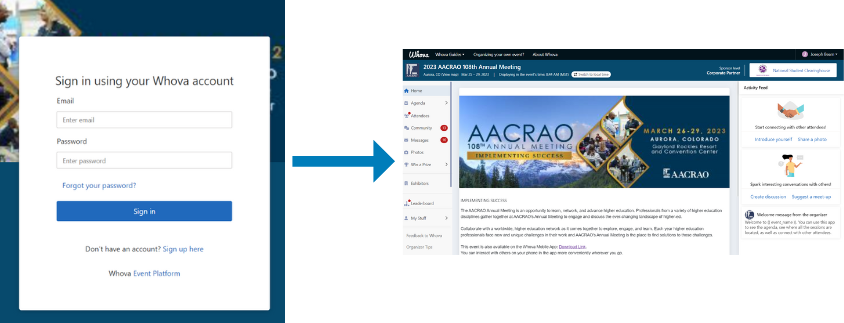
The Annual Meeting App is available for viewing on a desktop: click here to log in to Whova on a browser.
Session handouts and slides can be found in the “Handouts” section of a session in the App. If there aren’t any handouts attached to a particular session, check back as they are added by the Meeting organizers after the session is complete. Please note some presenters choose not to share handouts and slides.
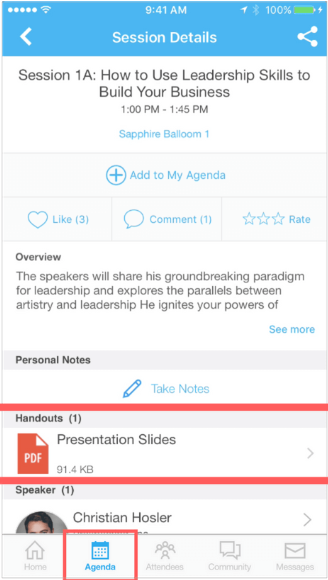
Feedback is valuable for presenters! Share your feedback by opening a session on the Agenda and clicking “Rate Session”.
- Where is the event agenda and how can I explore it?
- Where can I find out who else is attending the event?
- How can I find people with common backgrounds and interests as me?
- How can I message one or a group of fellow attendee(s)?
- Where can I find logistics information (e.g. directions, floor maps, Wi-Fi password)?
- How can I edit my profile (e.g. photo, affiliation)?
- How can I change the app notification setting?
- I received an email about having a message in the app, but I can’t find the message. Where is it?
- How can I download my private notes from the app?
- How can I download documents (e.g. slides, handouts)?
App Features

Navigation
Use the buttons on the Home page to access resources including the Jobs Board, floor map, Session Q&A, and more.

Attendees
Tap on Attendees tab to find colleagues. Edit your visibility in the “settings” in the upper left-hand corner of the app.

Community
The Community is a great place to see what’s going on. Read announcements and have discussions with fellow participants. Search by topic to join a conversation.

Agenda
Explore the Full Agenda by tapping the dates at the top of the screen. Tap on a session name to view the session description and speaker information. Use Tracks to filter your search. Create your own custom schedule by tapping Add to My Agenda.

Messages
Receive and send in-app messages to reach out and connect with other attendees or event organizers. All participants are limited to 100 messages per day.

Crystal Gateway Marriott
1700 Richmond Highway
Arlington, VA, 22202