
Resources from Whova
How to participate in sessions, join discussions, and share your experience with other attendees
How to view the agenda, access live streams, and network during the event.
App Instructions

You must log in to Whova with the same email address you used to register for the 2026 AACRAO SEM Conference. If you already have a Whova account with a different email address, you will need to create a new Whova account.
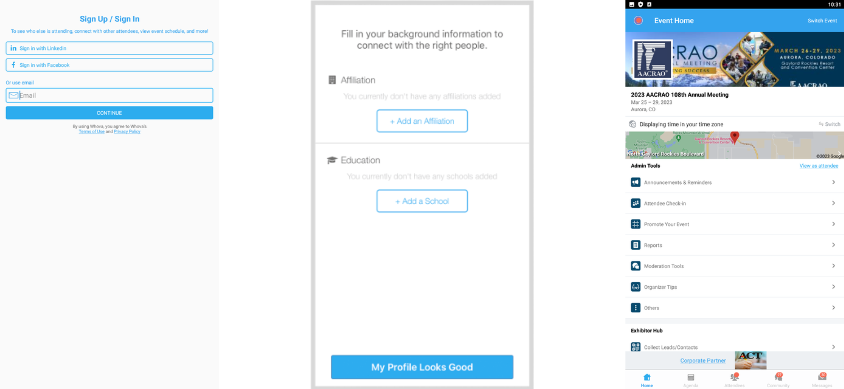
To access the event, the email address you use for your Whova account must match the email address you used to register for the meeting.
NOTE: Whova does not share or sell attendee data.
Click the Exhibitors button on the homescreen to learn more about valuable products and services offered by AACRAO Business Partners.
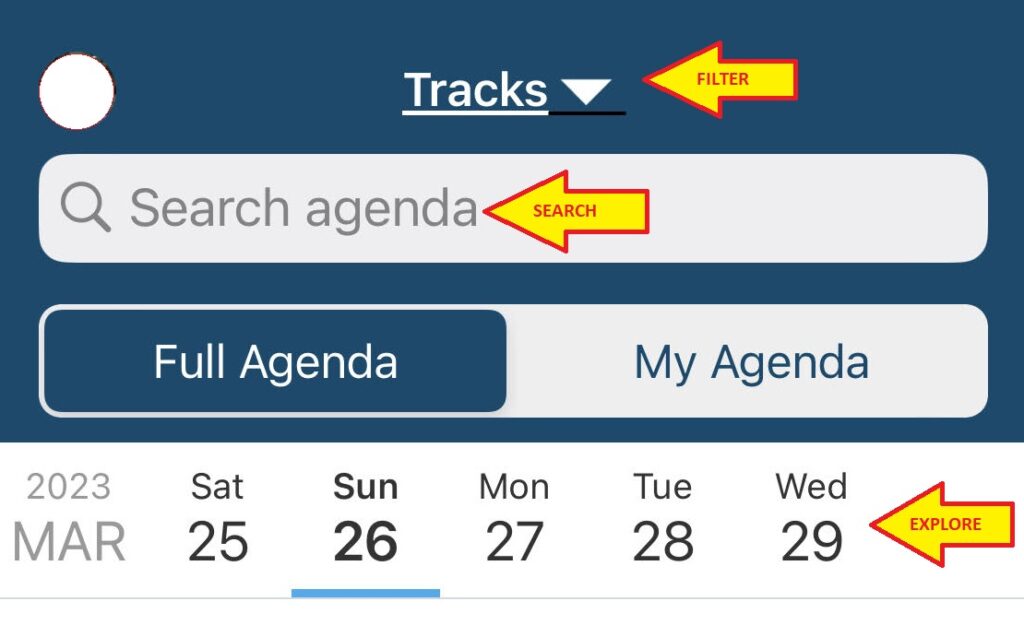
Navigate the Agenda by tapping on each day of the event. Search by Track, session name, or presenter name and click “Add to My Agenda” to save a session to your schedule.
- Visit the “Communities” section to plan meetups and ask the organizers a question. Search by topic to join a conversation
- Send colleagues messages (all App users are limited to 100 messages per day)
- Check out the “Leaderboard” to see who the most active App users are! (points are for just-for-fun; there are no prizes attached to the Leaderboard)
- Post photos in the “Photos” button on the Home page
- Use the “Q&A” and “Chat” features in the sessions to connect with colleagues and presenters.
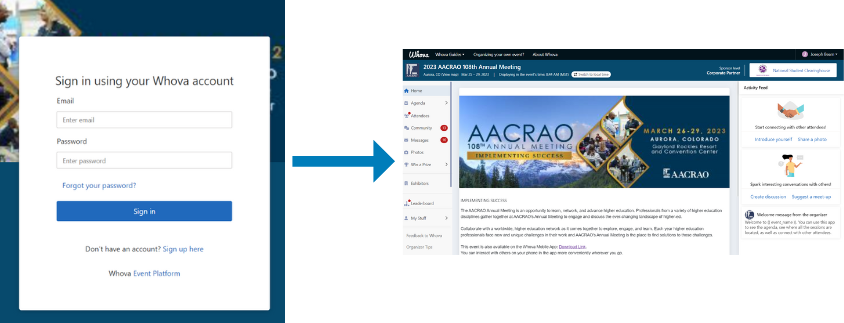
The AACRAO SEM Meeting App is available for viewing on a desktop: click here to log in to Whova on a browser.
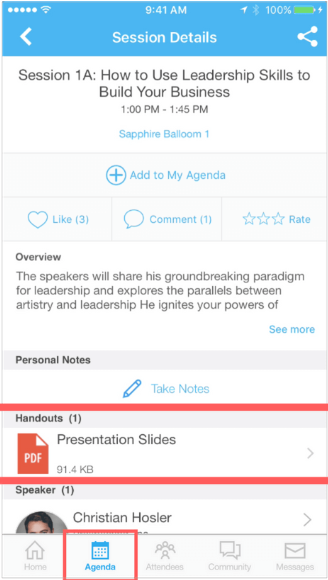
Session handouts and slides can be found in the “Handouts” section of a session in the App. If there aren’t any handouts attached to a particular session, check back as they are added by the Meeting organizers after the session is complete. Please note some presenters choose not to share handouts and slides.
Feedback is valuable for presenters! Share your feedback by opening a session on the Agenda and clicking “Rate Session”.
- Create your Schedule
- Connect with colleagues
- Customize Whova to fit your needs
- Save Resources